
Customers and routes
Organise customers and outlets, prepare routes and make priorities available to sales representatives.

A CRM for organising field sales teams and overseeing their operations from the office, with an Android app and a Web interface.
A 30-day Web trial, with no payment card, in your own workspace. Trial interface in French.
The day starts with customers to visit and route priorities. In the field, sales representatives consult the catalogue, record orders and track operations. The office has a workspace for reviewing activity, transactions and information reported by the teams.
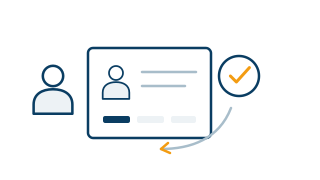
Organise customers and outlets, prepare routes and make priorities available to sales representatives.
Record visits and their GPS locations to connect sales follow-up with field activity.
Find products and quantities when taking an order, then pass the recorded operations to office oversight.
Consult stock, record stock checks and track replenishments and returns associated with sales activity.
Connect field collections, receivables and cash remittances with office checks and reconciliation.
Organise access by role and bring together the information needed to oversee teams and transactions in the Web back office.
Each company manages requests from its own customers. Its team assigns an owner, sets the priority and tracks the status. The history brings together logged customer exchanges, internal notes and the resolution.
Explore ticket managementCertain field operations, including visits, orders and stock checks, can be recorded locally and synchronised when connectivity returns. Access to recent data and the back office requires a network connection. Confirm the offline scope and synchronisation conditions for your workflows.
Choose a typical route and a complete workflow, from the visit to the return to the office. Describe the roles, records and checks that matter to your teams.
The product is presented for Android and Web. Confirm compatible devices and versions, then identify your users, internal contacts and the customer and product files to review during scoping.
Scoping clarifies configuration, access rights, data migration and interfaces to investigate. Define training and launch support with your internal contacts for the agreed scope.
Our CRM services also cover selecting, configuring and integrating a solution suited to your organisation.
Explore our CRM services